HyperFrames
heygen-com/hyperframes · Apache-2.0 · 511 entries
HeyGen's open-source way to make video from HTML. You write a web page with one paused GSAP timeline, and its command-line tool renders it frame by frame. It comes with 456 ready-made blocks and components, nine agent skills, and the tools around them.
- Get it
npm install hyperframes@0.9.23 --ignore-scripts export DO_NOT_TRACK=1 HYPERFRAMES_NO_TELEMETRY=1 HYPERFRAMES_NO_UPDATE_CHECK=1 HYPERFRAMES_NO_AUTO_INSTALL=1 HYPERFRAMES_SKIP_SKILLS=1The second line stops it reporting each command to HeyGen and checking for updates. For one block, copy its folder from the repo, or run: npx hyperframes add <name>
- Needs
Node 22, FFmpeg and a headless Chrome (it downloads one on first render unless you point it at yours). Pages load GSAP and fonts from the network at render time unless you make them local. The WebGPU blocks want a GPU. A HeyGen sign-in only for cloud render, publish and generated media.
- Sends off your machine
Out of the box it sends a usage event to HeyGen for every command and checks GitHub and npm for updates. The five switches in the second line above turn that off. One command, "hyperframes usage", reads your coding agent's login token and no switch stops it, so skip that one. Publish, cloud render and feedback send your project or your words to HeyGen, only when you run them.
- We watched it run
A 6-second film written by hand rendered in 16 seconds, with no browser download.
A news overlay (a stat plate, a source chip, a name plate) rendered in 17 seconds, to MP4 and to a MOV with a clear background that sits over footage.
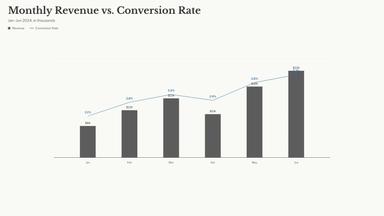
Three registry blocks drew right the first time: a chart, a lower third, a code diff.
The whip-pan transition block rendered, but it is a demo card. It proves the shader runs, not what the cut looks like on real scenes.
- Not tried here
Cloud render, publish, the two Pro skills, and most of the 456 blocks were read, not run.
- License
Apache-2.0
That covers the code. Some things inside are under other terms: GSAP has its own no-charge license, the bundled sound effects are under Pixabay's, and many blocks imitate other companies' interfaces. The code is free to use. The brands are theirs.
Everything in it
Showing 19 of 511Show everything
HTML to video
- Blend DifferenceAuto-inverting text using mix-blend-mode: difference — flips between white and black per-pixel against the background. Paste-in snippet: it…
- Camera Follow CaptionsOne sentence written across a world far larger than the frame. Each word is sized against everything already written, so the block grows…
- Clip WipeLeft-to-right clip-path wipe reveal per word.
- Editorial EmphasisDual-font system with dramatic size contrast for emphasis words.
- Emoji PopEmoji integration with stroked text and horizontal squeeze entrance.
- Glitch RGBRGB chromatic aberration with CRT scanline overlay.
- Gradient FillGradient-clipped text with elastic bounce entrance.
- HighlightRed background sweep behind each active word, TikTok-style.
- Kinetic SlamFull-screen single-word display with alternating entrance directions.
- Matrix DecodeCharacter scramble animation before text reveal.
- Neon AccentMulti-color neon glow accents with wiggle drift animation.
- Neon GlowCyan and magenta neon glow with keyword accent colors.
- Parallax LayersBehind-subject 3D text layering with vertical stretch effect.
- Particle BurstKeyword words trigger colored particle explosions.
- Pill KaraokePill-shaped container with per-word karaoke color highlight.
- TextureFlowing texture mask over large uppercase text — ships with 6 textures (lava, marble, metal, wood, concrete, rock), configurable via the…
- Weight ShiftElegant font-weight transition between caption lines.
- Word-Sweep HighlightA sentence whose word-by-word emphasis is driven by a single scalar — tween it to sync the highlight with a voiceover.
Tools
- transcribe.mjsLocal transcription with word times: Parakeet if present, else the CLI's whisper. Downloads a model on first use (about 640 MB for…