HyperFrames
heygen-com/hyperframes · Apache-2.0 · 511 entries
HeyGen's open-source way to make video from HTML. You write a web page with one paused GSAP timeline, and its command-line tool renders it frame by frame. It comes with 456 ready-made blocks and components, nine agent skills, and the tools around them.
- Get it
npm install hyperframes@0.9.23 --ignore-scripts export DO_NOT_TRACK=1 HYPERFRAMES_NO_TELEMETRY=1 HYPERFRAMES_NO_UPDATE_CHECK=1 HYPERFRAMES_NO_AUTO_INSTALL=1 HYPERFRAMES_SKIP_SKILLS=1The second line stops it reporting each command to HeyGen and checking for updates. For one block, copy its folder from the repo, or run: npx hyperframes add <name>
- Needs
Node 22, FFmpeg and a headless Chrome (it downloads one on first render unless you point it at yours). Pages load GSAP and fonts from the network at render time unless you make them local. The WebGPU blocks want a GPU. A HeyGen sign-in only for cloud render, publish and generated media.
- Sends off your machine
Out of the box it sends a usage event to HeyGen for every command and checks GitHub and npm for updates. The five switches in the second line above turn that off. One command, "hyperframes usage", reads your coding agent's login token and no switch stops it, so skip that one. Publish, cloud render and feedback send your project or your words to HeyGen, only when you run them.
- We watched it run
A 6-second film written by hand rendered in 16 seconds, with no browser download.
A news overlay (a stat plate, a source chip, a name plate) rendered in 17 seconds, to MP4 and to a MOV with a clear background that sits over footage.
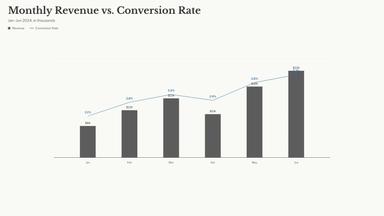
Three registry blocks drew right the first time: a chart, a lower third, a code diff.
The whip-pan transition block rendered, but it is a demo card. It proves the shader runs, not what the cut looks like on real scenes.
- Not tried here
Cloud render, publish, the two Pro skills, and most of the 456 blocks were read, not run.
- License
Apache-2.0
That covers the code. Some things inside are under other terms: GSAP has its own no-charge license, the bundled sound effects are under Pixabay's, and many blocks imitate other companies' interfaces. The code is free to use. The brands are theirs.
Everything in it
Showing 14 of 511Show everything
HTML to video
- Lower Third — Accent UnderlineCardless lower third for footage overlay: name rises, an accent rule draws left-to-right, role fades in; text-shadowed for legibility.
- Lower Third — BILD StyleNews-style lower third with tight-fit text boxes: white headline bar with red drop-shadow, red sub-line with white drop-shadow.
- Lower Third — Bold BlockHigh-energy podcast lower third: solid dark block wipes in, uppercase name slams up, accent tag pops.
- Lower Third — Clean BarMinimal white-card lower third for podcasts/interviews: accent tab, name + role, clip-wipe entrance.
- Lower Third — Color BlockHigh-energy lower third: bold accent-color block slides in with overshoot, condensed name + mono role.
- Lower Third — Dark CardCharcoal card lower third for bright footage: name, drawn accent underline, role; slide-up entrance.
- Lower Third — Kicker NameCardless lower third with an accent eyebrow/kicker tag, heavy name, and a drawn baseline; for footage.
- Lower Third — Mask RevealCardless lower third: an accent sweep crosses and clip-path-reveals a heavy name, role fades up; for footage.
- Lower Third — Side RuleCardless lower third with a vertical accent bar; condensed display name + mono role, text-shadowed for footage.
- Lower Third — Soft PillRounded white pill lower third for podcasts/interviews: status dot, name + role, scale-pop entrance.
- Lower Third — Stack BarsTwo stacked bars: a dark name bar wipes from the left, an accent role bar wipes from the right.
- Neon BorderTwo arcs of light travel the edge of a rounded panel and snap corner to corner, trailing a soft three-layer bloom. A lower third for a name…
- News TickerPremium broadcast-style lower-third ticker with live label, headline ribbon, and scrolling news crawl.
- YouTube Lower ThirdAnimated YouTube subscribe lower third with avatar and channel info. Copies the look of YouTube; that brand is theirs.